Be an SCP or Guard Redeem Promo Codes
Enter Be an SCP or Guard codes safely on any device and troubleshoot the most common error messages.
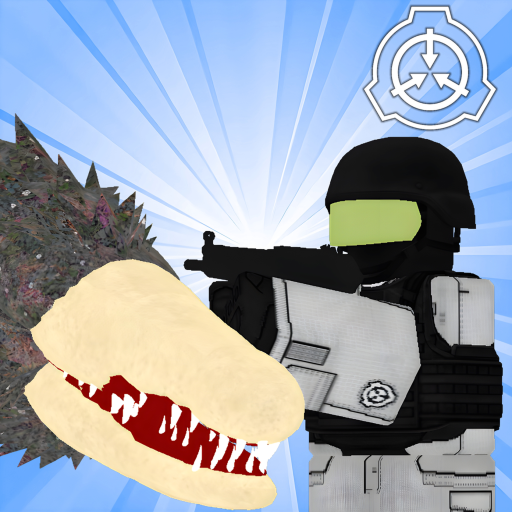
Promo codes in Be an SCP or Guard follow the same Roblox rules as most developer-published gifts: you must be inside the correct game place, open the dedicated codes interface, and submit an exact string before the promotion ends. This guide walks through every step so you are ready the moment the developer drops a new code—even though no active codes are confirmed at the time of writing.
Learning redemption now prevents panic during limited-time events. Codes often expire within days, and typos cannot be undone once the timer runs out.
Before you start
Confirm you are launching Be an SCP or Guard by insanepfgb from the official place link on Roblox (place ID 121461214257813). Fake copy games may mimic the title but lack a working codes menu. Log into the account that should receive the reward; Roblox does not transfer redeemed items across accounts.
Stable internet matters because redemption calls Roblox servers mid-session. If you are on mobile, update the Roblox app to avoid UI bugs that hide menu buttons after patches.
Redeem on PC
- Open Roblox and click Play on Be an SCP or Guard.
- Wait until the main menu or lobby loads completely. Early loading screens may not expose the codes button yet.
- Look for a Codes, Promo, or gift-icon button—placement can shift after updates such as the MTF expansion, so scan the top bar and side panels.
- Click the button to open the text field.
- Paste or type the code exactly as published. Do not add spaces before or after the string.
- Press Redeem or Submit and watch for a success banner listing your reward.
- Check your inventory, currency total, or cosmetic locker inside the game to confirm the grant applied.
If the menu moved after a patch, check Updates for UI notes or ask in the official community channels before assuming a code is dead.
Redeem on mobile
Mobile Roblox uses the same account-wide redemption logic:
- Launch the game from search or your favorites list.
- Tap the codes entry point once the lobby appears. On small screens it may sit inside a hamburger or More menu.
- Enter the promo string with careful capitalization. Mobile keyboards love autocorrect—disable it briefly for this step.
- Tap redeem and wait for confirmation. Switch apps only after you see the success message.
Touch controls do not change code validity. Guards and SCP players redeem identically; role selection happens after rewards land.
What rewards look like
Developers choose each code’s payload. Common gifts include soft currency for shop purchases, limited cosmetics, XP boosts, or event tokens. Be an SCP or Guard focuses on fast PvP rounds between anomalies like SCP-173, SCP-096, SCP-106, SCP-457, SCP-049, SCP-035, SCP-966, and SCP-682 versus MTF and guard teams, so boosts that shorten grind between matches are especially popular.
Always read the announcement tied to a code so you know whether a reward is permanent or timed.
Troubleshooting failed redemption
Invalid code usually means a typo, expired promotion, or wrong game place. Re-copy from Active Codes and retry without retyping manually.
Already redeemed appears if your account claimed that one-time-use string before. Codes rarely work twice on the same profile.
Server error can be temporary Roblox downtime. Rejoin a fresh server and attempt again in a few minutes.
Nothing appeared after success text may indicate a UI delay. Reopen the shop or respawn once. If the reward still missing, note the code and timestamp before contacting support—screenshots help.
Safety and account rules
Redeem only through the in-game menu Roblox and the developer support. Websites that ask for your password, “code generators,” or executor paste bins are scams. They cannot create legitimate promos and often steal accounts.
This process is separate from community Scripts that modify clients. Scripts violate Roblox Terms of Service and risk bans; official codes do not require any external tool.
When no codes are available
An empty Active Codes page is expected during quiet weeks. Use that time to practice fundamentals in Getting Started, learn SCP-specific mechanics like SCP-173’s flashing-light cues, and read Updates so you recognize when patch notes mention promotional events.
Set a personal reminder to revisit the codes hub after Roblox seasonal events or when player counts spike following a content drop.
FAQ-style quick answers
Codes apply to the whole account for that experience, not a single private server instance. They do not carry over to unrelated Roblox games. If the developer retires a code, no trick will revive it—watch for replacement promos instead.
Stay patient, stay official, and keep this page bookmarked. The redemption flow takes under a minute when the next Be an SCP or Guard code goes live.
Frequently Asked Questions
Quick answers to the most common questions.
Is there a codes button before I spawn?
Most players redeem from the lobby or main menu after the place finishes loading. If you spawn instantly, open the pause or settings overlay and look for Codes there.
Why does my code work for friends but not me?
Some codes are one-time per account or restricted to new players. Your friend may not have claimed it yet, or you may have typed a look-alike character.
Do I need Premium to redeem?
Roblox Premium is not required for standard developer promo codes in this experience unless the announcement explicitly says otherwise.
Can I redeem while playing as an SCP?
Yes, as long as you can access the menu without being mid-animation lock. Pause in a safe moment to avoid dying during input.
Where should I paste new codes I find?
Test them yourself first, then compare with our Active Codes list. We only publish strings we can verify in the official place.